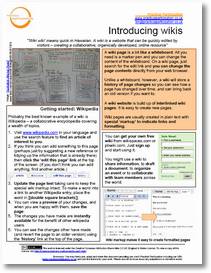
 Another post in the one page getting started series. This time taking a look at the humble wiki.
From the document:
A wiki page is a bit like a whiteboard. All you need is a marker pen and you can change the content of the whiteboard. On a wiki page, just search for the edit link and you can change the page contents directly from your web browser.
Unlike a whiteboard, however, a wiki will store a history of page changes so you can see how a page has changed over time, and can bring back an old version if you want to.
A wiki website is build up of interlinked wiki pages. It is easy to create new pages. Wiki pages are usually created in plain text with special ‘markup’ to indicate links and formatting.
You can download the guide for printing here, or for editing here.
Because of the group I designed it for, this version of the guide suggests that users get familiar with the wiki concept by trying to edit a relevant page on Wikipedia, and then uses Wikispaces as it's example of a build-your-own wiki. This may not be suitable for all groups – but, as the sheet is Creative Commons licenced you are free to apapt it to suit the context you are working in.
A few wiki links:
-
Wiki Patterns – a toolbox of patterns & anti-patterns that will make a wiki work – and a guide to the different stages of introducing a wiki into a group or organisation setting.
I particularly like the Barn Raising pattern, which reminds me, Watford Gap and I had earlier this year thought about a UK not-for-profit bit of wiki barn-raising on Wikipedia. A new-years-resolution project for 2008 perhaps..
-
Wikis in plain english – excelent video introduction to wiki concepts by Common Craft.
-
Wikispaces – Free hosted wiki of choice for most of the mini-collaborative projects I've come across.
-
DokuWiki – a suprisingly powerful and effective wiki system to install on your own servers or intranet. My wiki of choice for keeping myself organised on a day-to-day basis.
Attachment: 8 – Wiki in One Page.pdf
Attachment: 8 – Wiki General.doc
Remarkable how ideas occur independently isn’t it. Had an idea for a resource library, saw the name on a link on a webpage and though goodie someone has done it …blind link so I have resurected it.
Please feel free to create pages for any third sector organisation that you are connected to.
I suspect the reason no one has really done it before is there is too much for just one person and there are dozens of directories out there and no one fills them in. Still many hands make light work or raise barns!
Should you decide to have a
barn raising day have a look at 3rdsectorpedia I think I have already dug some of the post holes.